
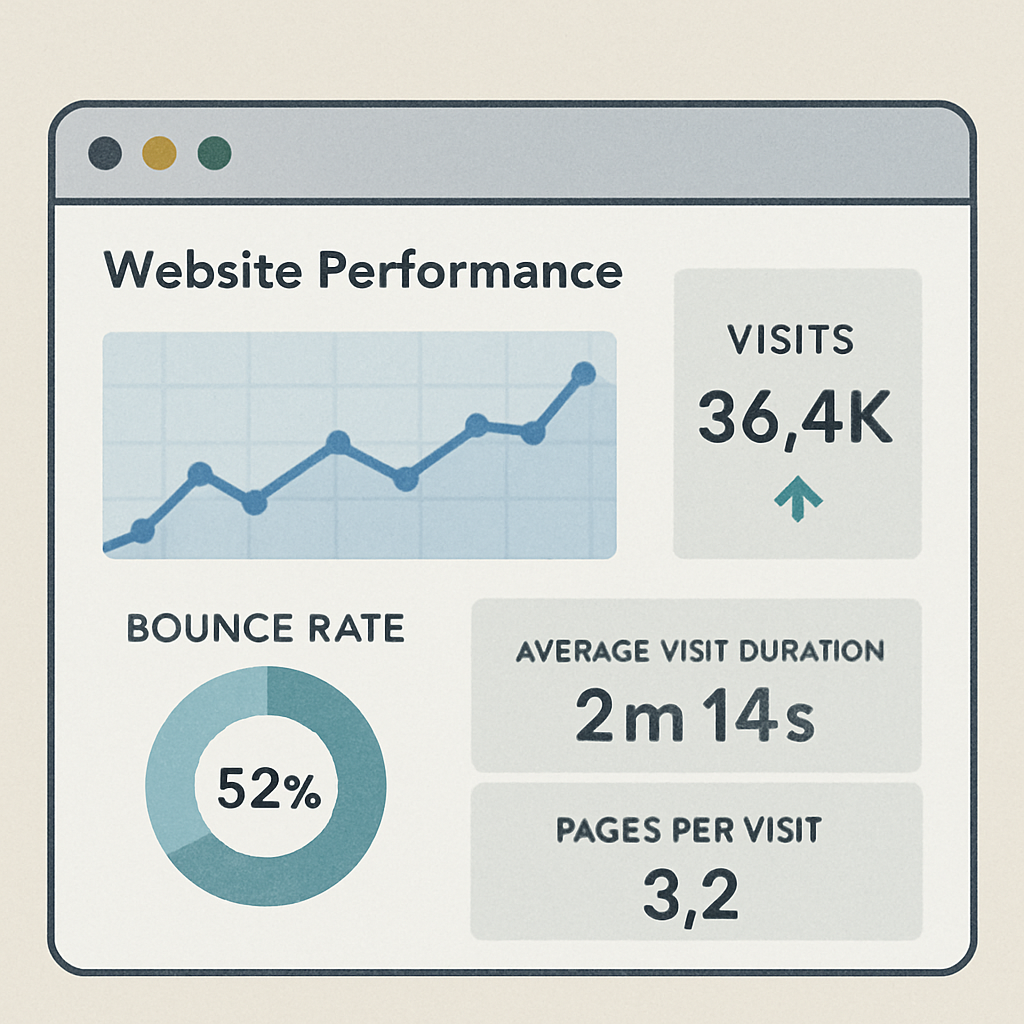
A website optimization tool is software that audits a site's SEO, page speed, content, and user experience, then hands back a prioritized list of fixes instead of raw data alone. Google made Core Web Vitals an official ranking signal in 2021, so tools that once only checked meta tags now also grade loading speed and layout stability. For geodeck users, that same optimization work can sit beside AI visibility signals like llms.txt, schema checks, and indexing updates.
In today's digital world, a website's performance is crucial. A slow or poorly optimized site can drive users away.
Website optimization tools are essential for enhancing your site's performance. They help improve SEO, page speed, and user experience.
These tools provide insights into your website's strengths and weaknesses. They offer actionable recommendations for improvement.
By using these tools, you can boost conversion rates and overall site efficiency. They are valuable for maintaining a competitive edge.
For geodeck users, the same optimization work can sit beside AI visibility signals like llms.txt, schema checks, sitemap freshness, and indexing updates. As Bing's own webmaster team puts it, that kind of continuous upkeep isn't optional anymore:
"In a world shaped by AI-powered search and shopping, real-time updates aren't optional, they're expected." — Bing Webmaster Blog
What Is a Website Optimization Tool?
A website optimization tool helps improve various aspects of a website's performance. These tools enhance user experience and increase search engine rankings.
They provide detailed analysis and insights on how to enhance your site. This includes areas like SEO, page speed, and conversion rates.
Here's what a website optimization tool can do:
- Analyze website speed and load times
- Suggest improvements for better SEO performance
- Identify technical issues like broken links
- Review content, metadata, and page structure
These tools are essential for businesses aiming to stay ahead online. They offer actionable solutions to common website problems.
Incorporating a website optimization tool is a strategic move. It ensures your site operates effectively and efficiently.
Why Website Optimization Matters: Key Benefits
Website optimization is crucial for any online presence. It directly impacts user experience and search engine rankings. In today's fast-paced digital world, efficiency is key.
By optimizing your website, you enhance its speed and performance. This improves user satisfaction and can reduce bounce rates. Users are more likely to stay and engage with fast-loading pages.
Here are some key benefits:
- Improved page speed and load times
- Higher search engine rankings
- Increased conversion rates and sales
- Better user experience across devices

Overall, website optimization leads to better ROI. It creates a smoother experience for visitors. By investing in optimization, you support your site's long-term success and competitiveness.
Core Features of Website Optimization Tools
Website optimization tools are packed with features to enhance online performance. These tools analyze various aspects of a site and provide actionable insights. Many features focus on speed, SEO, and user engagement.
A primary feature is performance analysis. Tools evaluate page speed and highlight areas for improvement. Fast websites retain users and improve satisfaction.
SEO audits are another critical feature. They identify issues that impact rankings. These audits help improve meta tags, headings, links, and keyword use, and increasingly they also check for structured data using the same tagging approach search engines document publicly:
"By adding additional tags to the HTML of your web pages—tags that say, 'Hey search engine, this information describes this specific movie, or place, or person, or video'—you can help search engines and other applications better understand your content and display it in a useful, relevant way." — schema.org getting started guide
Content analysis is essential too. It checks readability and engagement levels. Streamlined content can boost user retention and search visibility.
Here are core features to look for:
- Page speed assessment
- SEO and content analysis
- User experience enhancements
- Security checks and compliance
- Mobile and accessibility checks
Diagram showing the various features of website optimization tools, image by Growtika via Unsplash.
Finally, many tools offer A/B testing. It allows testing different strategies to find what works best. Regularly using these features maximizes your site's potential.
What Types of Website Optimization Tools Exist?
Website optimization tools fall into several categories. Each category addresses unique needs and improves specific parts of a website. Selecting the right type is important for achieving desired outcomes.
The main types of optimization tools include:
- SEO tools
- Page speed and performance optimization tools
- Conversion rate optimization tools
- User experience and website analysis tools
Infographic displaying different types of website optimization tools, image by Deng Xiang via Unsplash.
Choosing the right tool type depends on your site's requirements and goals. Each type can improve a different part of your website's performance.
SEO Tools
SEO tools are critical for digital success. They help optimize your website for search engines. Proper optimization boosts visibility and attracts more traffic.
These tools often perform audits and suggest keyword improvements. They analyze backlinks and competitor strategies, providing valuable insights.
SEO tools commonly include:
- Keyword suggestion tools
- Backlink analysis features
- Competitor SEO monitoring
- Technical SEO audit checks
Using SEO tools helps ensure your content aligns with current search trends. It drives more organic visitors to your site and supports growth.
Page Speed and Performance Optimization Tools
Page speed tools are essential for site efficiency. They identify delays in loading times. Faster sites keep users engaged longer.
These tools can pinpoint excessive code and unoptimized images. They offer solutions to reduce these issues and speed up the site.
Key tools often provide:
- Image and script optimization
- Server response time checks
- Load time analysis
- Core Web Vitals reporting
Using these tools helps maintain a smooth, fast website. Efficient performance pleases users and can improve search engine rankings.
Conversion Rate Optimization Tools
Conversion rate tools increase user actions. They focus on refining user interactions. Better interactions can lead to higher sales and engagement.
These tools analyze visitor behavior and suggest improvements. Optimizing forms and call-to-action elements is a common feature.
Important features include:
- A/B testing functionality
- Heatmaps for user activity insights
- Form optimization tips
- Funnel analysis
By using conversion rate tools, you can convert more visitors into customers. They help you fine-tune user pathways effectively.
User Experience and Website Analysis Tools
User experience tools improve interaction quality. They help make your website more user-friendly. A positive experience keeps users coming back.
These tools gather data on visitor behavior and offer insights. They suggest changes to improve layout, accessibility, and navigation.
Common features to look for:
- User behavior analytics
- Website usability reports
- Feedback and survey tools
- Mobile experience checks
Using UX and website analysis tools helps you meet audience needs. They support accessible, engaging, and user-centered websites.
How Do You Choose the Right Website Optimization Tool?
Choosing the right optimization tool involves careful consideration. Begin by identifying your specific needs. Determine whether you need to focus on SEO, page speed, conversion rates, user experience, or technical discovery signals.
Next, evaluate available tools based on features and pricing. Look for tools that offer comprehensive insights and actionable recommendations. Consider integration with existing systems for a streamlined workflow.
Here are key factors to consider:
- Specific optimization needs
- Feature set and functionality
- Cost and pricing plans
- Integration with existing platforms
- User reviews and support options
Chart comparing features of various website optimization tools, image by Justin Morgan via Unsplash.
If AI search visibility matters, pair traditional optimization tools with geodeck.icu so your llms.txt, schema, sitemap, and indexing signals stay current, ideally kept fresh the same way IndexNow keeps crawlers updated:
"When paired with IndexNow, they provide the structure and speed search engines need to keep your content visible." — Bing Webmaster Blog
Trial versions can help test a tool's effectiveness. Choose tools that align with your goals and budget. A well-chosen tool enhances efficiency and supports website growth.
Best Practices for Using Website Optimization Tools
Effectively using website optimization tools ensures you get the most value from them. Regularly update and maintain these tools to use the latest features and improvements.
Setting clear goals before using these tools is important. Identify the metrics you aim to improve, such as page load time or conversion rate. Monitor these metrics over time to gauge progress and make informed adjustments.
Consider these best practices:
- Regular tool updates
- Clear, measurable goals
- Continuous tracking and analysis
- Customized reports for actionable insights
- Shared ownership across marketing, design, and development
Team analyzing website optimization reports, image by UX Indonesia via Unsplash.
Encourage collaboration among team members to implement recommendations effectively. Sharing insights ensures optimization work aligns with business objectives.
What Common Issues Do Optimization Tools Detect?
Website optimization tools are essential for finding common site issues. These problems can affect performance and user experience. Often, they go unnoticed without detailed analysis.
Tools can uncover:
- Broken links and 404 errors
- Slow loading pages
- Duplicate content
- Inconsistent mobile responsiveness
- Missing metadata or schema
- Weak internal linking
Website performance dashboard displaying errors and warnings, image by Justin Morgan via Unsplash.
Detecting these issues early helps with faster resolution. Addressing technical problems can improve website performance and search engine rankings.
Staying proactive with issue detection can save time and reduce future complications. Regular audits help ensure your website remains in good shape.
Real-World Examples: Website Optimization in Action
Website optimization can transform businesses and improve online presence. Brands use optimization tools for tangible improvements. They often focus on user experience, performance optimization, and conversions.
Consider these common strategies:
- A retailer that compresses images and defers non-critical scripts can cut page load times noticeably.
- An online service that simplifies its signup flow can see a meaningful lift in completed signups.
- A media site that fixes layout shift and slow ads can reduce bounce rates.
- A SaaS site that fixes broken links can protect its most important conversion paths.
Before and after comparison of website performance metrics, image by 1981 Digital via Unsplash.
These examples show how effective optimization can be. Implementing these strategies can result in higher engagement and better business outcomes.
Frequently Asked Questions About Website Optimization Tools
Website optimization tools raise several common questions. Below are answers to frequent questions.
What is a website optimization tool?
These tools enhance various aspects of a website. They improve speed, usability, and search engine rankings.
How do I choose the right tool?
Consider your specific needs, such as SEO, user experience, page speed, or conversion rate. Evaluate the tool's features, pricing, support, and compatibility with your platform.
Do I need technical expertise to use these tools?
Many tools are user-friendly. However, some advanced recommendations may require basic technical knowledge or developer support.
Are they worth the investment?
Yes, when the recommendations are acted on. They can provide measurable improvements in performance, usability, and visibility.
How often should I use them?
Use them regularly to keep performance at its peak. Active websites should check after major updates and on a recurring schedule.
Conclusion: Start Optimizing Your Website Today
Optimizing your website is no longer optional. With the right tools, you can enhance every aspect of your online presence. From boosting page speed to improving user experience, each optimization step contributes significantly.
Explore different website optimization tools to identify those that fit your needs. By applying effective strategies, your website can achieve better performance and stronger results.
For the Google and AI discovery layer, geodeck helps keep your machine-readable content, schema, sitemaps, and indexing signals fresh as your site changes.